Controls Guide for Bake Breads to Escape
PC keyboard, mobile touch, station prompts, and what to do when interactions refuse to appear.
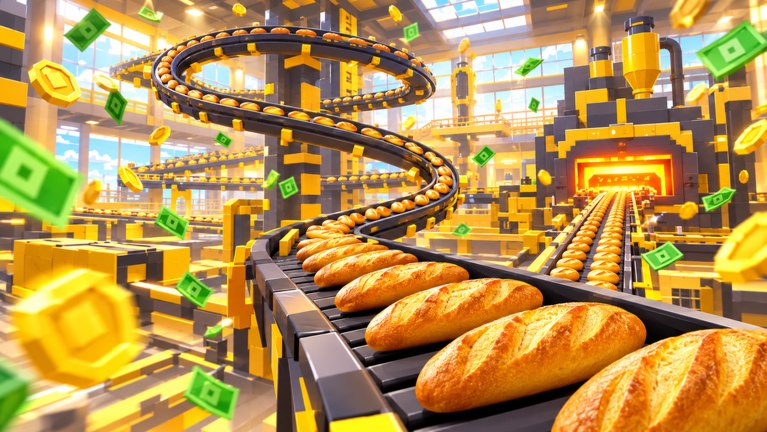
Controls in Bake Breads to Escape follow familiar Roblox patterns. Bros League did not invent a custom fighting-game input sheet for this cozy bakery—you walk, jump, and use proximity prompts (or tap targets on mobile) at the dough, cut/prep, oven belt, and sell counter. This page documents what you can safely assume, how to recover when a prompt fails, and what this wiki will not invent as fake keybinds.
If you are brand new to the loop itself, pair this page with Getting Started. Station purpose lives in Kitchen Stations. Escape pacing is in How to Escape, and shift pressure is in Shifts Guide.
What “controls” means in this game
Bake Breads to Escape is a Simulation / Incremental Simulator kitchen. Throughput comes from repeating dough → cut → oven → sell, not from perfect WASD tech. Your hands matter for positioning and prompt timing; they do not matter for combos. Treat movement as a way to stay close enough for station prompts to appear, then keep the line fed.
Because the experience updates frequently (including the 2026-11-13 refresh tagged [UPD] on Roblox), any on-screen prompt labels can change. Trust the live UI over memory. This guide teaches defaults and recovery habits, not a frozen hotkey table.
PC / keyboard defaults (Roblox standard)
On a keyboard-and-mouse client, expect the usual Roblox movement set unless you remapped keys in Roblox settings:
- Move — WASD (or arrow keys, depending on your Roblox settings).
- Jump — Space.
- Camera — right mouse drag / scroll zoom, or the camera keys your client already uses.
- Interact — proximity prompt key shown on the billboard when you stand next to a station (commonly E on many Roblox experiences, but always read the on-screen prompt—do not memorize a wiki guess).
If you rebound keys globally in Roblox, those binds apply here too. The bakery does not ship a separate “controls options” fantasy beyond what Roblox and the experience HUD expose.
Mobile / touch defaults
On phone or tablet:
- Use the virtual joystick to walk between stations.
- Jump with the on-screen jump button if your layout shows one.
- Interact by tapping the proximity prompt or the highlighted station UI when you are in range.
Mobile bakers should stand a little closer and wait a beat for the prompt to paint before spam-tapping. Touch latency plus camera swing is the usual reason a station “does nothing.” Rotate the camera so the station is centered, step in, then tap once cleanly.
Proximity prompts at kitchen stations
Every productive action on the line is gated by getting close enough for a prompt (or mobile tap target) to appear:
- Dough station — pick up raw dough for the batch.
- Cut / prep — portion dough so the oven belt can accept it.
- Oven belt — send prepared dough through baking.
- Sell counter — turn fresh bread into cash for upgrades and escape progress.
If two players crowd the same station in co-op, prompts can feel contested. Step aside, let your teammate finish, or reassign roles using the split on Players and the deeper Co-op Roles page.
When prompts fail (diagnosis checklist)
Work this list top to bottom before assuming the game is broken:
- Range — walk closer until the billboard appears; many prompts need you nearly touching the station.
- Facing / camera — on mobile especially, center the station in view.
- Busy animation — finish or cancel the current carry/interact; release the key, wait a second, retry.
- Occupied station — another player (or your own pet pathing) may be mid-action; wait or move to the next bottleneck.
- Lag spike — after a hitch, rejoin once if prompts stay dead across every station.
- Wrong shift panic — on harder shifts from the Shifts Guide, pressure makes you mash early; stop, breathe, re-approach cleanly.
Do not invent “secret hold combos” from random Discord advice. If the live prompt says press a key, press that key once after you are in range.
What this wiki will not invent
We will not publish:
- Fake custom keybinds that are not shown in Roblox or in-game UI.
- Controller button maps we have not verified in-client for this title.
- “Pro strats” that require third-party macros or auto-clickers (see Scripts—none verified, and executors risk bans).
- Exact prompt distances in studs, unpublished hold times, or frame-perfect oven cancels.
Those fabrications age badly after every UPD and train bad habits. When Bros League adds a visible remapping panel or new interact mode, this page can grow with verified notes—not before.
Throughput habits that feel like “better controls”
Good input hygiene is mostly routing:
- Keep a short path between dough, cut, oven, and sell so you are not sprinting across the kitchen every loaf.
- Never leave finished bread unsold while you over-prep dough.
- After each sale burst, glance at which station is idle—that is your next walk target (Kitchen Stations).
- On escape pushes, prioritize the bottleneck that blocks Chef Crumb’s quota, not the station that looks busiest (How to Escape).
Pets such as Dough Pup, Cocoa Cat, and Oven Dragon reduce how often you must physically touch every step. They do not replace learning prompt range; they multiply clean station habits.
Accessibility and comfort tips
- Lower camera sensitivity if you overshoot stations on PC.
- On mobile, play in a stable grip; accidental joystick drift walks you out of prompt range.
- Take short breaks on long Holiday Rush sessions—fatigue causes missed prompts more than “bad binds.”
- If you share a device, confirm Roblox keybinds before blaming the bakery.
Session warm-up (60 seconds)
- Join from the official place.
- Walk a full dough → cut → oven → sell cycle focusing only on prompt timing.
- Claim daily and playtime gems without rushing the menus.
- Only then start optimizing upgrades or harder shifts.
Related reading
- Getting Started — first-hour loop and gem claims.
- Kitchen Stations — what each station owns.
- How to Escape — quota and freedom planning.
- Shifts Guide — Day through Holiday Rush pressure.
- Guides Hub — full tutorial map.
Master range and calm retries, and “controls problems” usually vanish. Keep bread moving, read the prompt that is actually on screen, and leave fake keybind lists to other sites.
Frequently Asked Questions
Quick answers for bakers chasing Chef Crumb's quota.
What are the keyboard controls for Bake Breads to Escape?
Use standard Roblox movement (WASD/arrows, jump, camera) and the on-screen proximity prompt key shown at each station. Always trust the live prompt label over memorized guesses.
How do controls work on mobile?
Move with the virtual joystick and tap the proximity prompt or station target when you are in range. Center the station in the camera and avoid spam-tapping through lag.
Why is my station prompt not appearing?
Step closer, face the station, finish any busy animation, and check whether another player is occupying it. Rejoin once if every station stays unresponsive after a lag spike.
Will this guide list secret custom keybinds?
No. We document Roblox defaults and recovery tips only. Unpublished or invented binds are omitted so patches cannot turn the page into misinformation.